

Transi Mobile App Design

This project represents a complete exploration of my creative process from initial idea to refined execution. My goal was to build something that not only solved a real problem but also demonstrated my ability to combine design thinking, functionality, and visual storytelling.
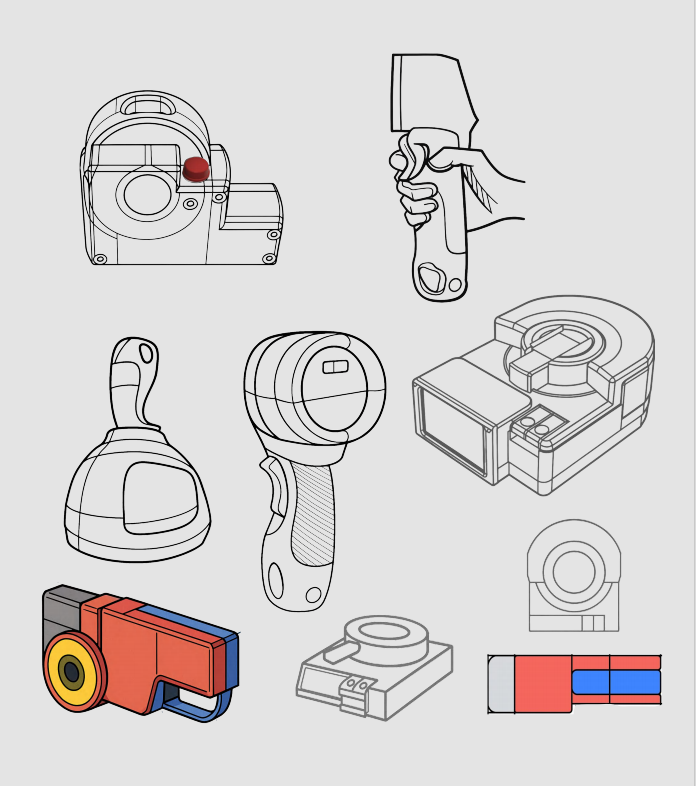
Once the foundation was set, I moved into the conceptual phase — crafting wireframes, brainstorming ideas, and experimenting with different approaches.
Exploring creative design solutions
The development of the project required careful attention to detail. I worked on color harmony, typography choices, spacing, and overall structure to create a modern and intuitive experience.
As the project progressed, I continuously evaluated the user journey to ensure the final result felt engaging and easy to navigate. I aimed to create a balance between aesthetics and functionality — a design that looked great and delivered a smooth, meaningful interaction. In the end, this project became a reflection of my skills.
- The project spanned approximately from initial concept.
- I handled all aspects of the project, including research.
- The project utilized tools such as Figma, Adobe XD, Photoshop.
Innovating through modern interfaces
In the end, this project became a reflection of my skills, creativity, and dedication to quality. It showcases my ability to analyze problems, think strategically, and bring ideas.


Conclusion
Every project I undertake is a journey of exploration, creativity, and growth. Through thoughtful design, attention to detail, and a focus on meaningful user experiences, I aim to transform ideas into impactful solutions. My work reflects not just skills, but a mindset of continuous learning, experimentation.
Prototype
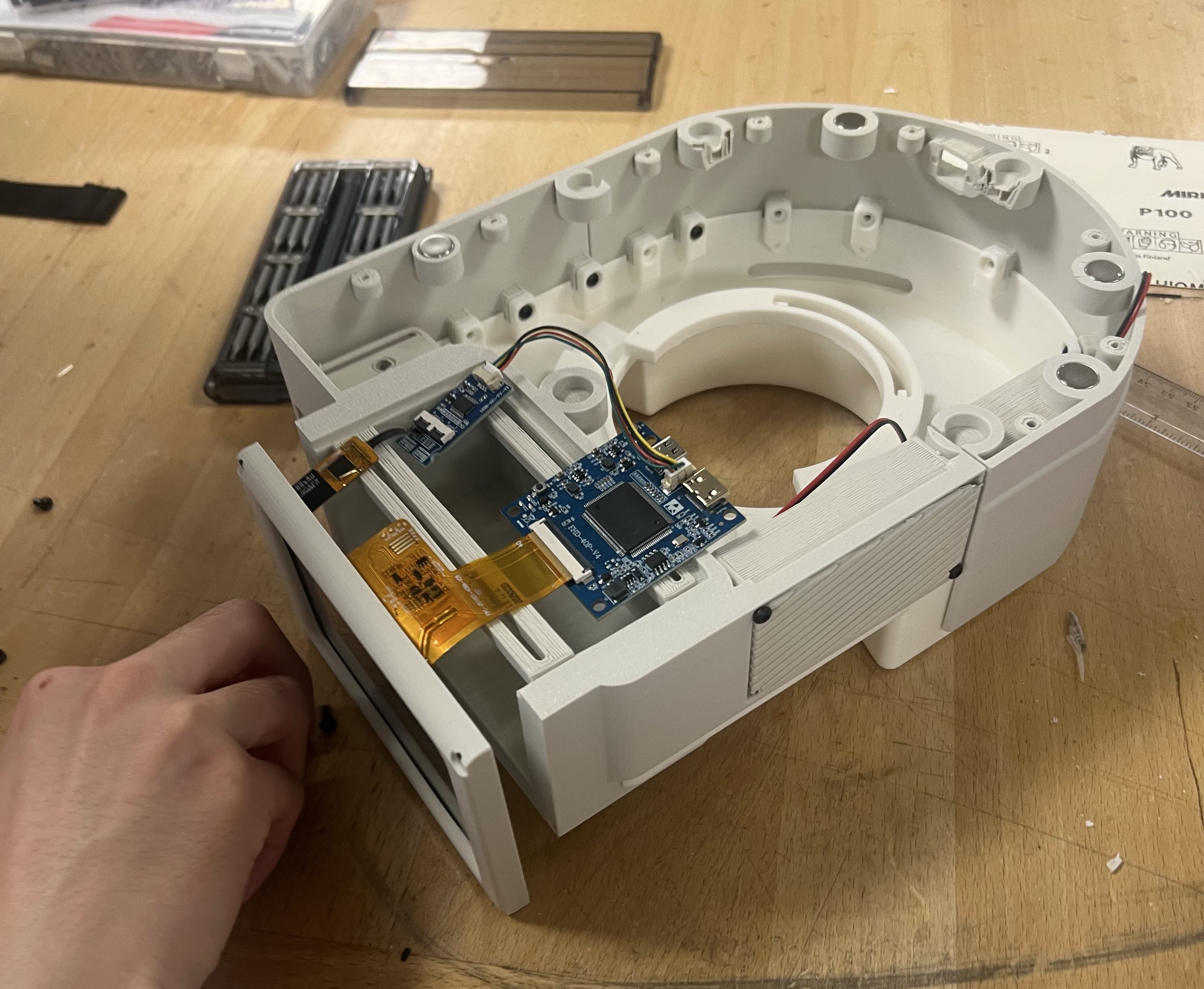
Multiple rounds of prototyping were conducted to validate the interaction logic and product.Each iteration of 3D printing, assembly, and testing was conducted to evaluate whether children could engage with the product in a more natural and intuitive way.
Lo-Fi Prototyping
Low-fidelity models were used to explore different arrangements of: buttons, rotation mechanisms. screen placement

Hi-Fi Prototyping: After defining the interaction logic, higher-fidelity prototypes were built to test the functional components and structural design. This stage focused on integrating elements. Through physical testing, issues such as friction between moving parts were identified and improved by adjusting structural tolerances



User guide & Package design
Key user guide features include:
Simple action-based instructions: Clear verbs such as Press, Insert, and Rotate help children quickly understand how to interact with the product.
Visual-first communication: Illustrated instructions reduce reliance on text, making the guide easy for young users to follow.
Parent-assisted learning tips: Guidance for parents encourages shared exploration and supports deeper learning experiences.


Key package features include:
Book-Style Magnetic Flap Box: Inspired by the My First Sony product line, the packaging opens like a book, enhancing the sense of discovery.
Window Display: A die-cut window allows the product to be partially visible, attracting attention on retail shelves
Sustainable Materials: The packaging uses recyclable cardboard materials in compliance with the EU Packaging Directive (94/62/EC).

More
.png)


